
Blog
Maono Podcast Audio Interface – Pro Studio Sound Power

Struggling with poor audio quality? Discover how Maono Podcast Audio Interface delivers clean, professional sound for podcasting and streamin
Introduction
If you’ve ever recorded a podcast or streamed content, you already know how frustrating bad audio can be. Background noise, low volume, or distorted sound can instantly ruin even the best content idea. Many creators in Bangladesh and beyond face this issue—especially when using basic microphones or built-in sound cards.
That’s where a Maono Podcast Audio Interface comes into play. It’s not just a device—it’s the bridge between average sound and professional-quality audio. Whether you’re starting your podcast journey or upgrading your home studio, understanding how an audio interface works can completely transform your content quality.
Before jumping into buying decisions, let’s break down what makes this device essential and how it actually improves your sound.

Maono Our Trusted Globally Recognized Brands
According to the official site: maono.com
- Available in 153+ countries worldwide
- Over 6 million global users
- Focused on content creators, podcasters, and streamers
- Handles in-house design, R&D, and manufacturing
👉 This matters because:
A brand operating at this scale is not a random or unknown company—it has real market presence and infrastructure.
Explore Our Top-Selling Products Loved by Creators
MaonoCaster Lite AM200 S1 Podcast Equipment Bundle with Mixer & Mic Kit
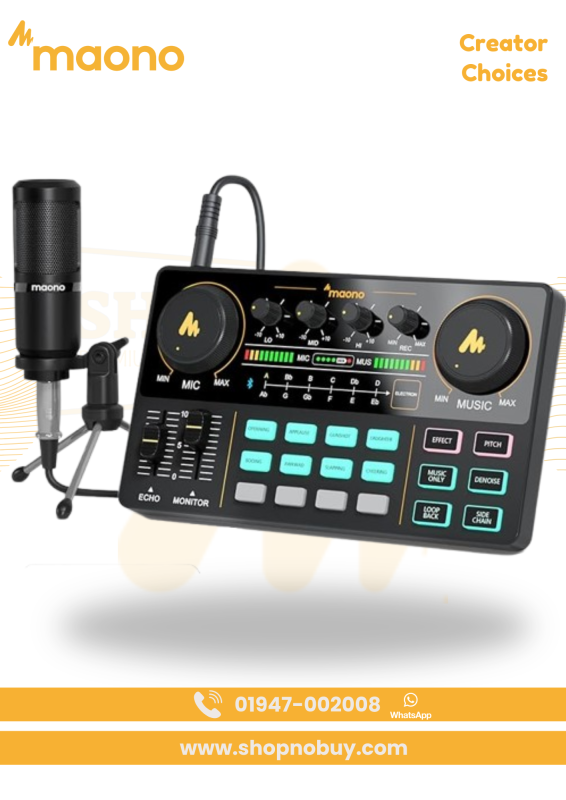
- All-in-One Audio Mixer Station – Integrated controls for mic, effects, and monitoring in one unit
- Built-in Sound Effects & Voice Modes – Applause, laughter, cheering, plus customizable pads
- Voice Changer Options – Male, female, girlish, and robot tones for creative streams
- Multi-Device Streaming – Connect up to 2 people, 4 devices, and 4 platforms simultaneously
- Denoise Function – Cleaner audio at the press of a button
- Reverb & EQ Control – 10-step reverb, 12 electronic tones, and treble/mid/bass adjustment
- Included Condenser Microphone – Ready to record out of the box (no phantom power)
- Wide Compatibility – Works with PC, Mac, smartphones, iOS, and Android
MaonoCaster AME2 Podcast Mixer Audio Interface – Pro Audio with Sound Pads
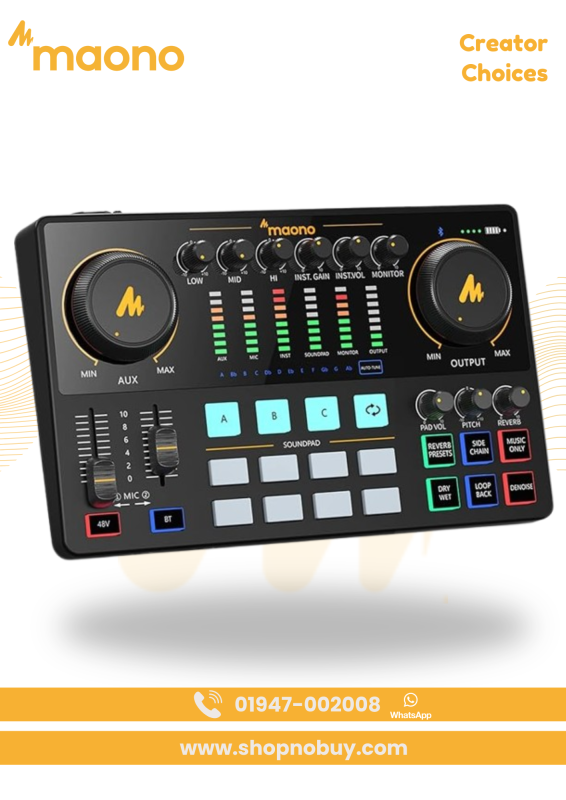
- Superior Preamp with 60dB Gain – Clean amplification for dynamic and condenser XLR microphones
- 48V Phantom Power – Powers studio condenser mics for detailed vocal capture
- 32-bit Chipset + Denoise – Clearer, low-noise audio output
- 11 Custom Sound Pads – Trigger intros, effects, and loops during live sessions
- Guitar/Bass Instrument Input (6.35mm) – Direct recording without losing tone
- Bluetooth & Multi-Device Input – Connect phones, PCs, tablets, and more
- Reverb, Auto-Tune & Tone Control – Shape vocals with studio-style effects
- Independent Mic Controls – Precise control for dual-microphone setups
- Designed for Live Streaming – Dedicated outputs for smartphone, monitor, AUX, and USB-C
MAONOCASTER AME2A Audio Mixer Powerful Podcast Studio Setup
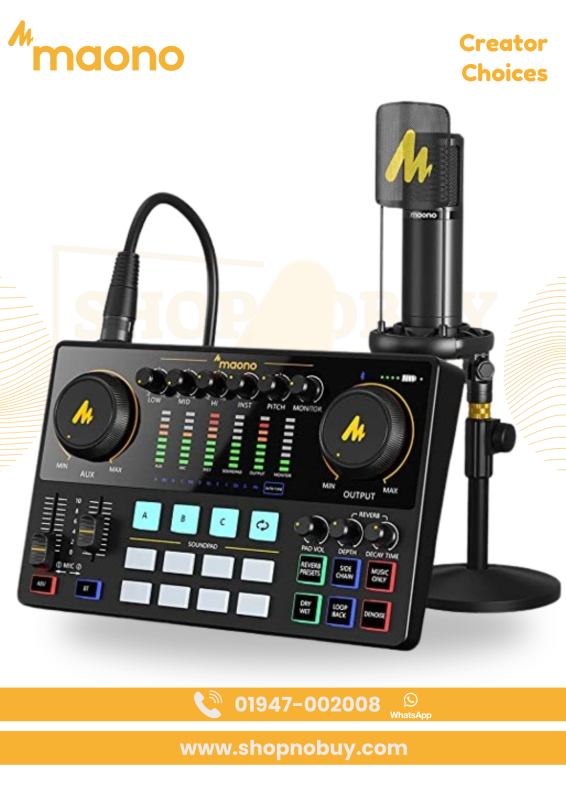
- All-in-One Podcast Studio Bundle
Combines mixer, audio interface, and microphone—perfect for beginners and professionals - 11 Customizable Sound Pads
Add effects, jingles, or background audio to make your content more engaging - High-Quality Preamp with 60dB Gain
Delivers crystal-clear sound even with professional dynamic microphones - Built-in DENOISE & 32-bit Chipset
Reduces background noise for clean, studio-quality recording - Premium Condenser Microphone Included
Captures every detail with clarity and minimizes unwanted noise - Advanced Sound Controls
Features auto-tune, reverb modes, pitch control, and EQ adjustments - Live Streaming Ready Design
Easy connection to smartphones, PCs, and tablets for instant streaming - Wide Compatibility
Supports XLR, 3.5mm, and 6.35mm microphones and instruments
MAONO G1 NEO Gaming Audio Mixer RGB XLR Interface
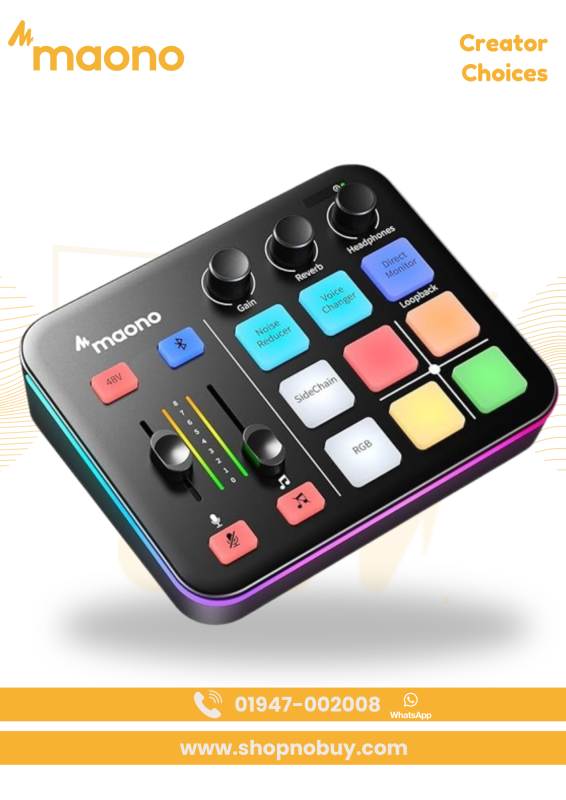
- Pro Preamp with 48V Phantom Power – Unlocks the full potential of XLR condenser microphones
- One-Click Noise Reduction – Cleaner team chat and stream audio instantly
- Voice Changer & Custom Sound Pads – Male, female, baby, robot tones plus recordable pads
- RGB Lighting Effects – 12 color modes with gradients and rainbow patterns
- Bluetooth Accompaniment Input – Add music wirelessly to live sessions
- Loopback & Direct Monitoring – Real-time control for OBS, Discord, and streaming apps
- Compact, Gamer-Friendly Layout – Quick access to gain, volume, and mute controls
- Wide Device Compatibility – Works with PC, phones, tablets, PS4, PS5 (not for USB mics/Xbox)
What is a Podcast Audio Interface?
A podcast audio interface is a device that connects your microphone to your computer while improving sound quality.
Instead of plugging a mic directly into your PC, an interface does three key things:
- Converts analog sound into digital audio
- Enhances clarity and reduces noise
- Gives you control over sound levels
Why It Matters for Podcasting
Without an audio interface, your recording may sound:
- Flat and lifeless
- Noisy or unclear
- Unbalanced in volume
With a Maono audio interface, your voice becomes:
- Clear and rich
- Balanced and professional
- Ready for publishing without heavy editing
Explore Our All Maono Products for Pro Audio Excellence
Products by Brand
-
MaonoCaster Lite AM200 S1 Podcast Equipment Bundle with Mixer & Mic Kit
Original price was: ৳ 8,500.00.৳ 8,150.00Current price is: ৳ 8,150.00.

Key Features of Maono Podcast Audio Interface
Let’s explore what makes this device stand out in real-world use.
Studio-Level Sound Quality
- High-quality preamps for clean audio
- Reduces background noise effectively
Easy Control System
- Gain knobs for volume adjustment
- Real-time monitoring support
Plug & Play Setup
- Works with USB connection
- No complicated installation needed
Multi-Device Compatibility
- Supports microphones, headphones, instruments
- Works with PC, laptop, and some mobile setups
Beginner-Friendly Design
- Simple interface layout
- Ideal for first-time podcasters
Why Choose Maono for Podcasting?
Many beginners ask: “Is Maono good enough?”
The short answer: Yes—especially for budget-friendly setups.
Perfect for Beginners
- No technical expertise required
- Quick setup within minutes
- Affordable compared to high-end brands
Reliable for Content Creators
- Suitable for YouTube, Facebook Live, and podcasts
- Consistent sound output
- Durable build quality
Budget Meets Performance
Instead of spending a lot on expensive gear, Maono gives you:
- Professional sound at a reasonable price
- Great value for money
- Long-term usability
How It Improves Your Audio Quality
Let’s break it down simply.
Without Audio Interface:
- Noise issues
- Low gain
- Poor voice clarity
With Maono Audio Interface:
- Strong, boosted signal
- Reduced distortion
- Clear, rich voice tone
Real Impact on Content
- Better audience retention
- More professional branding
- Improved listener experience
Who Should Use This Device?
This isn’t just for podcasters. It’s perfect for:
- Podcasters
- Gamers & streamers
- YouTubers
- Voice-over artists
- Musicians
If your work involves audio, this tool becomes essential.
How to Set Up Maono Podcast Audio Interface
Step-by-step guide:
- Connect the interface via USB
- Plug your microphone into the interface
- Connect headphones for monitoring
- Adjust gain levels
- Start recording
Pro Tip:
Always test your sound before recording to avoid distortion.
Internal Linking Opportunities
To enhance your setup, explore these:
- Related Product Page: Maono Audio Interface Collection
- Category Page: Audio Equipment for Podcast & Streaming
- Blog Post: How to Build a Home Studio on a Budget
(Use these links inside your website to improve SEO and user navigation)
Common Mistakes to Avoid
Even with a good interface, mistakes can ruin your audio.
Setting gain too high
→ Causes distortion
Ignoring background noise
→ Use quiet environment
Not using headphones
→ You can’t monitor real-time sound
FAQ Section
What is the best audio interface for podcasting?
A reliable and budget-friendly option like Maono works great for beginners and intermediate creators.
How to use Maono podcast audio interface?
Simply connect via USB, plug in your mic, adjust gain, and start recording.
Is Maono audio interface good for beginners?
Yes, it’s designed for easy use with plug-and-play functionality.
Can I use it for live streaming?
Absolutely. It works perfectly for streaming on platforms like YouTube and Facebook.
How does an audio interface improve sound quality?
It boosts signal strength, reduces noise, and ensures clean digital audio output.
H2: Final Thoughts
Great content deserves great sound. If your audio isn’t clear, your message gets lost—no matter how good your idea is.
A Maono Podcast Audio Interface offers a simple yet powerful upgrade to your recording setup. It’s beginner-friendly, affordable, and capable of delivering professional-quality sound without complexity.
If you’re serious about podcasting or content creation, this is one upgrade you shouldn’t ignore.
